
No products in the cart.
Disclosure: Adobe has compensated me to share my views on how I use AI tools, including Adobe Firefly, in my creative process. All opinions expressed are my own, in line with FTC guidelines for sponsored content. That said, this guide reflects a workflow I genuinely built, tested, and continue to use—I do not promote tools I don’t believe in, and where a tool has limitations, I’ll tell you.
What This Guide Covers And Who It’s For
Intermediate creatives who already know AI tools exist—but haven’t yet connected them into a repeatable workflow—can execute a complete multi-channel campaign using five tools in sequence. This guide documents our tested process that take us from support thinking to executing. We cover tools that support thinking, such as Perplexity (research and data verification), Claude (strategy and ideation), and Jasper (brand-aligned copywriting). Then cover how we leverage our execution tools, using Adobe as our production layer to transform those ideas into client-ready assets, with Adobe Firefly (visual and video generation) and Adobe Express (content design and distribution).
This is not a beginner’s overview of AI tools. It assumes you’re comfortable with at least one AI writing or image tool and are ready to systematize how those tools work together. The workflow is designed for creatives who plan and execute their own campaigns—whether solo or as part of a small team.
Two of the five tools in this stack—Perplexity and Claude—were used entirely on their free tiers throughout the campaign documented here. Jasper is the only tool in this workflow that requires a paid subscription from the start (7‑day free trial available). Adobe Firefly and Express both offer free tiers you can use to test this process before committing to a paid plan.
This guide also documents a real campaign—our “Super Bowl Hue Intelligence” project, which analyzed 9 years of winning Super Bowl brand colors. Every workflow step described here was actually executed, including the parts where things didn’t go smoothly. We’ll walk you through the technical details and the strategy that guided our approach, making multi-tool AI workflows an accessible and actionable process for any creative team ready to move with purpose.
Why a Multi-Tool Approach Outperforms a Single Platform
Not all AI tools are created equal—and the most efficient workflows don’t rely on any single platform. After extensive testing, one conclusion held consistently: no single AI tool handles every stage of a campaign equally well.
- Research tools prioritize accuracy
- Strategy tools prioritize ideation
- Writing tools prioritize tone and scale
But campaigns are only complete when those outputs are turned into real, usable assets. Relying on one layer of automation creates bottlenecks and often misses the nuances required for effective campaign execution. That’s where production tools become critical.
The most efficient workflows assign each stage to the tool best suited to that purpose. The instinct to find one tool that does it all is understandable—fewer logins, less context switching. But in practice, that approach creates bottlenecks and produces generic output. A coordinated stack of specialized tools, each with a clearly defined job, consistently outperforms any single-platform approach for quality, speed, and brand consistency.
That’s why the most efficient workflows strategically combine several AI tools—each focused on a distinct stage of the process. This multi-tool approach enables creative teams to move with agility, sharpen quality at every step, and free up creative attention for the work that matters most.
Why Adobe Powers the Workflow
While multiple tools contribute to the workflow, Adobe tools handle the most critical stage: execution.
- Adobe Firefly → generates campaign visuals and video assets
- Adobe Express → assembles and distributes final content
- Adobe Acrobat → synthesizes insights and documentation
Adobe tools act as the production layer—where ideas become final, client-ready deliverables.
This is also where:
- Assets are refined
- Brand consistency is enforced
- Outputs become usable in real campaigns
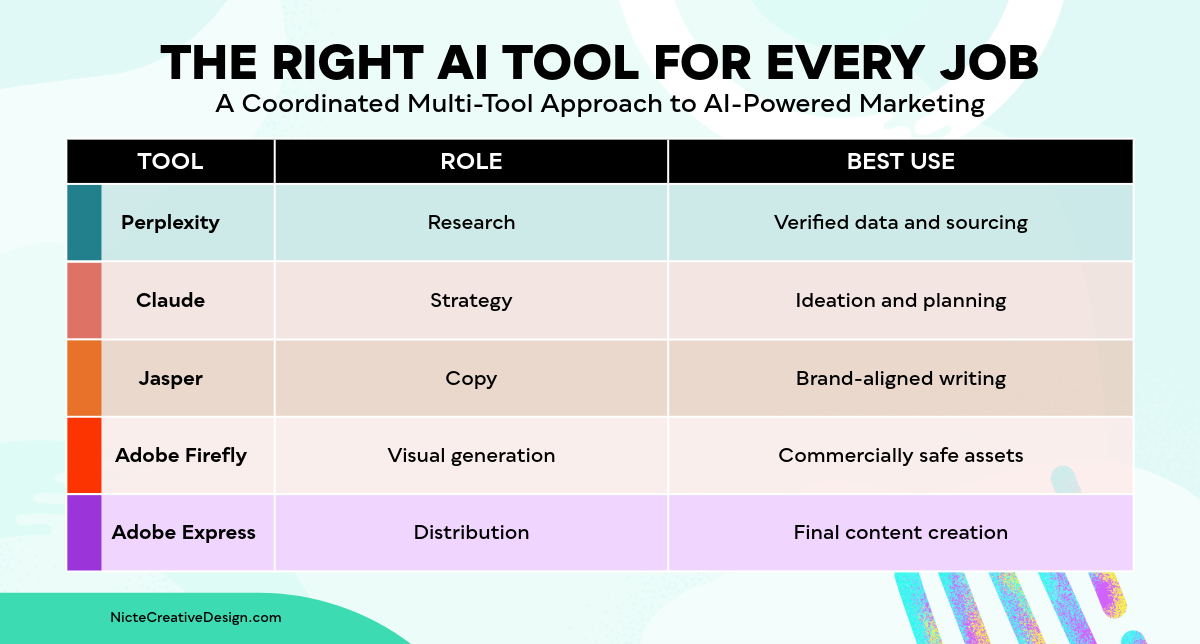
The Right AI Tool for Every Job
The following table maps each tool to its role in the workflow and what it does best. This is not an exhaustive list of what each tool can do—it describes how each is used within this specific campaign workflow.
Tool | Workflow Role | What It Does Best |
|---|---|---|
Perplexity | Research & Data Verification | Returns accurate insights from the web with cited, verifiable sources—more reliable for data verification than generalist LLMs like ChatGPT, which can fabricate citations. |
Claude | Strategy & Ideation | Breaks down complex processes, structures content strategy, and facilitates open-ended brainstorming. Conversational approach makes it effective for refining ideas in real time. |
Jasper | Brand-Aligned Copywriting | Creates on-brand social media content at scale using trainable Brand Voice, Custom Audiences, and Canvas—features that generalist writing tools lack at the copy-production stage. |
Adobe Firefly | Visual & Video Generation | Generates AI images and animations that are commercially safe for client and business content. Firefly’s training data is licensed, addressing IP risk that other image generators cannot guarantee. |
Adobe Express | Content Design & Publishing | Designs final assets, builds carousels and video recaps, and schedules content across social media platforms—all in one place, with direct Firefly integration.ter your text here… |
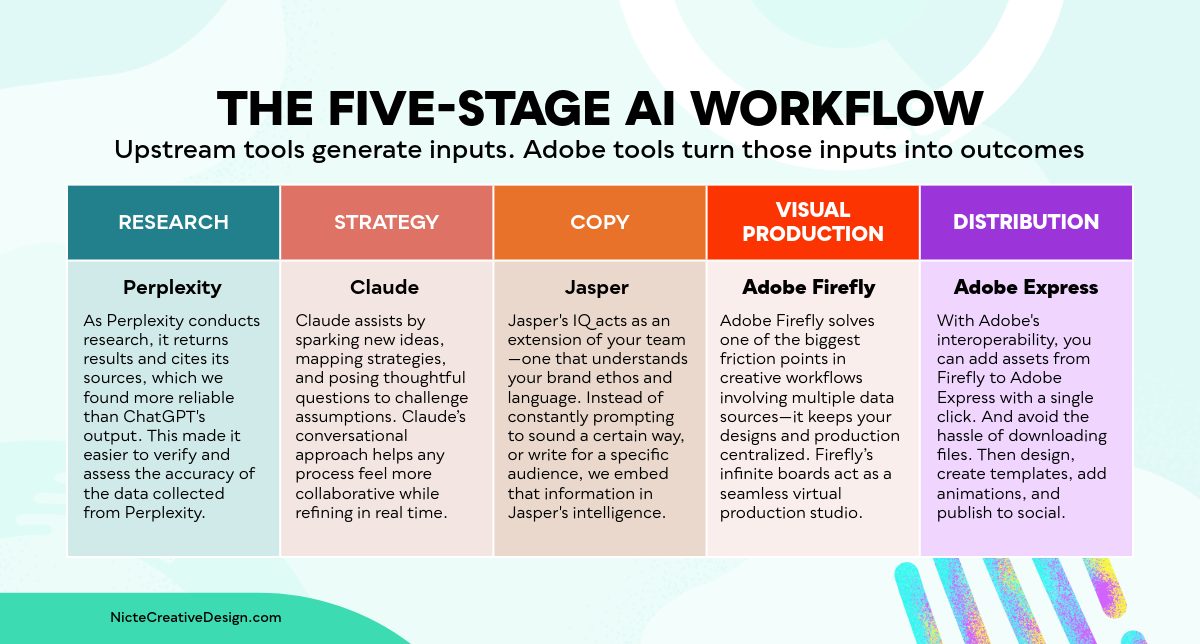
The Five-Stage AI Workflow for Creative Campaigns
Each stage of this workflow is handled by a different tool, chosen for what it does best at that specific point in the process. The stages run in sequence—output from one stage feeds directly into the next.
Stage | Tool | What happens Here |
|---|---|---|
Research | Perplexity | Gather and verify campaign data with cited web sources. Used on the free tier for this campaign. |
Strategy | Claude | Translate verified data into campaign concepts and messaging angles. Used on the free tier for this campaign. |
Copy | Jasper | Write brand-aligned copy for each channel and audience segment. Requires paid plan ($59/seat/month, Pro tier). |
Visual Production | Adobe Firefly | Generate commercially-safe images and animations. Free tier available; paid tiers unlock higher credit volumes. |
Distribution | Adobe Express | Assemble final assets and publish to social platforms. Free tier available; Premium at $9.99/month. |
Pricing Overview: What This Workflow Actually Costs
One of the most common questions about multi-tool workflows is cost. The honest answer: you can start this workflow for free—and only pay for the tools that match your volume needs. Here’s the current pricing breakdown.
Tool | Free Tier | Paid Entry Tier | Notes |
|---|---|---|---|
Perplexity |
| Pro: $17/mo (billed annually) | Free tier is sufficient for most campaign research. Pro adds premium AI models and deeper sourcing from PitchBook, Statista, and Wiley. |
Claude |
| Pro: $20/mo | Free tier was used for this entire campaign. Pro removes limits and adds extended context for long strategy sessions. |
Jasper |
| Pro: $59/seat/mo (billed yearly) | The only tool in this stack with no ongoing free tier. The trial is sufficient to test Brand Voice setup. Business tier is custom pricing. |
Adobe Firefly |
| Firefly Pro: $19.99/mo | Free tier lets you test the workflow. Adobe CC subscribers may already have access. Partner models (e.g. Veo) are not commercially guaranteed—Firefly’s own model is. |
Adobe Express |
| Premium: $9.99/mo | Free tier includes scheduling for 1 social account. Premium adds 200M+ assets, advanced animation, and the full AI feature set. |
 Yes—unlimited basic searches
 7‑day free trial only
Recommended starting point:
Run your first campaign using Perplexity Free + Claude Free + Jasper 7‑day trial + Adobe Express Free. This gives you access to every stage of the workflow at no cost for your first project. Upgrade individual tools based on which stage you hit limitations first.
Adobe Express pricing: adobe.com/express/pricingCase Study: The “Super Bowl Hue Intelligence” Campaign
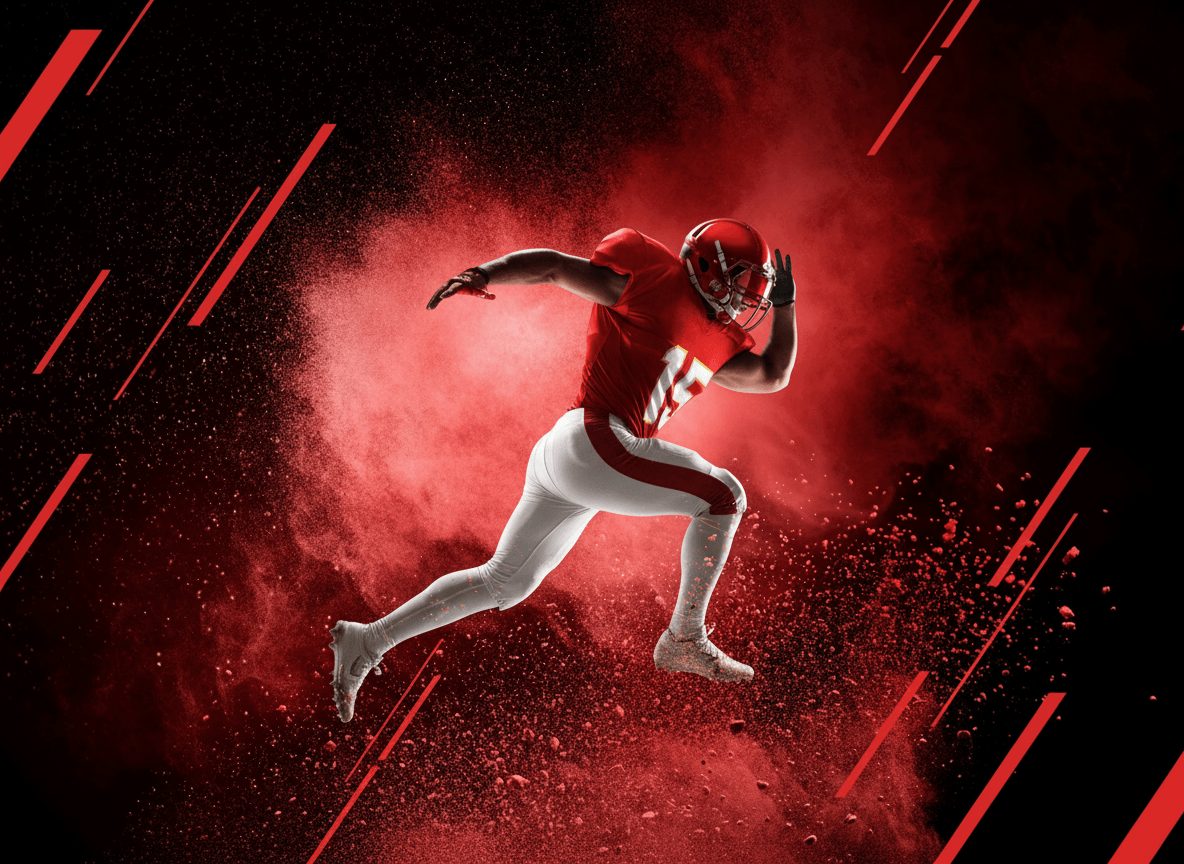
To show how these workflows operate in practice, here’s a detailed breakdown of a real campaign that analyzed color patterns across 9 years of Super Bowl-winning teams. Rather than spending hours on manual search and analysis, each stage of the project used a specialized AI tool guided by a clear overall strategy. The goal was to reveal the hidden color patterns behind Super Bowl champions—and to show that with the right workflow, design doesn’t just make things look good, it makes data understandable.
Stage 1: Research with Perplexity (Free Tier)
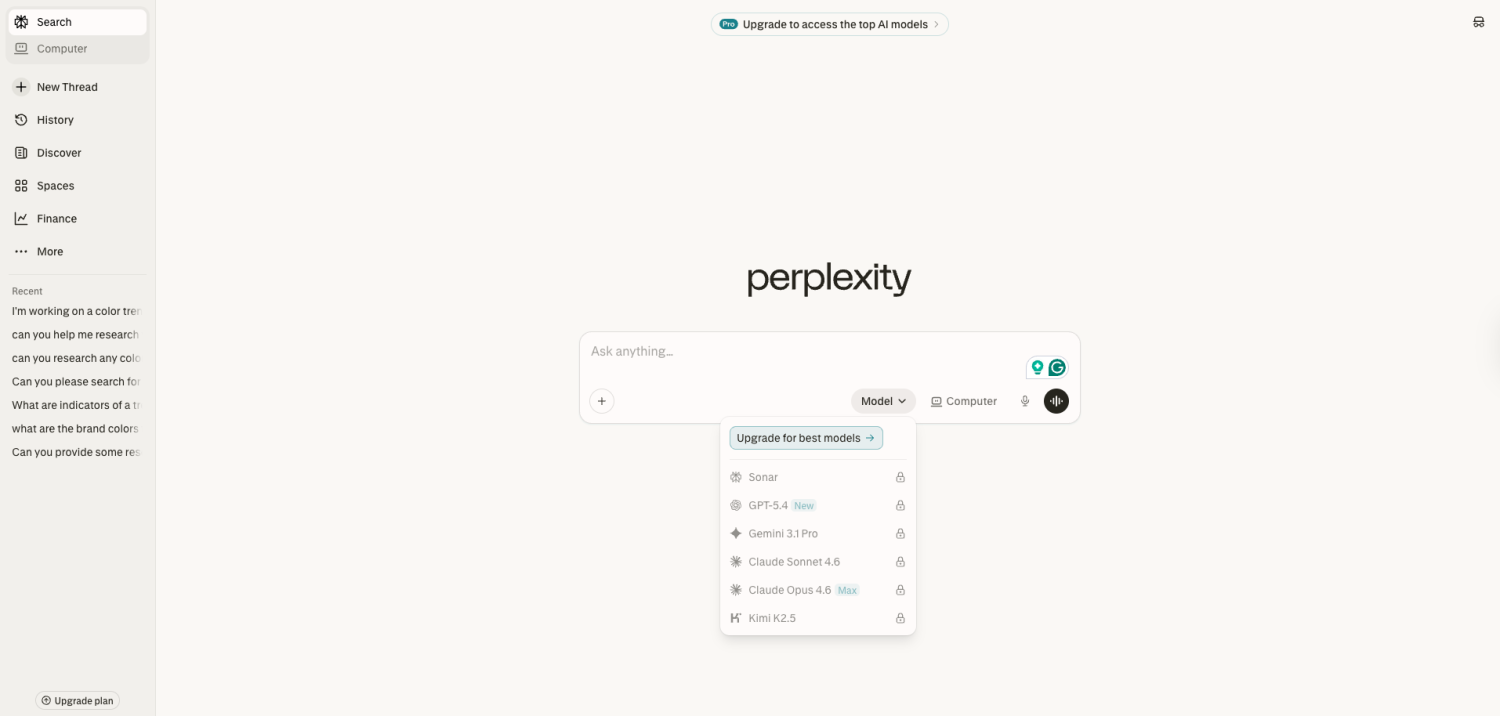
Research is crucial to any campaign, and verifying several years of color data manually is time-consuming. While platforms like ChatGPT or Claude are capable research tools, we found Perplexity to be best for sourcing data and verified research to support decision-making.
As Perplexity conducts research, it returns results and cites its sources inline—making it easier to verify and assess the accuracy of collected data. This is the key differentiator: rather than presenting a synthesized answer with no clear origin, Perplexity shows exactly where each piece of information came from. In areas where we wanted to dig deeper, we prompted Perplexity to clarify findings and identify additional resources, which significantly reduced research time and accelerated our data verification workflow.
Getting started: Visit perplexity.ai and type your query into the search bar. The platform immediately provides detailed results with cited sources. You can get great results with their free account—no setup or configuration required.
Stage 2: Strategy with Claude (Free Tier)
Claude is best for helping shape the direction, ideation and strategy, but it does not produce your assets. Claude assists by sparking new ideas, mapping possible strategies, and posing thoughtful questions that challenge assumptions.
Instead of relying solely on static brainstorming exercises, we leaned on Claude’s conversational approach to generate a wide range of ideas quickly, refining them together in real time. Integrating Claude into the ideation process allowed us to move swiftly from raw insights to actionable strategies—keeping sessions structured yet open to creative risk, bringing scattered thoughts into a cohesive campaign plan.
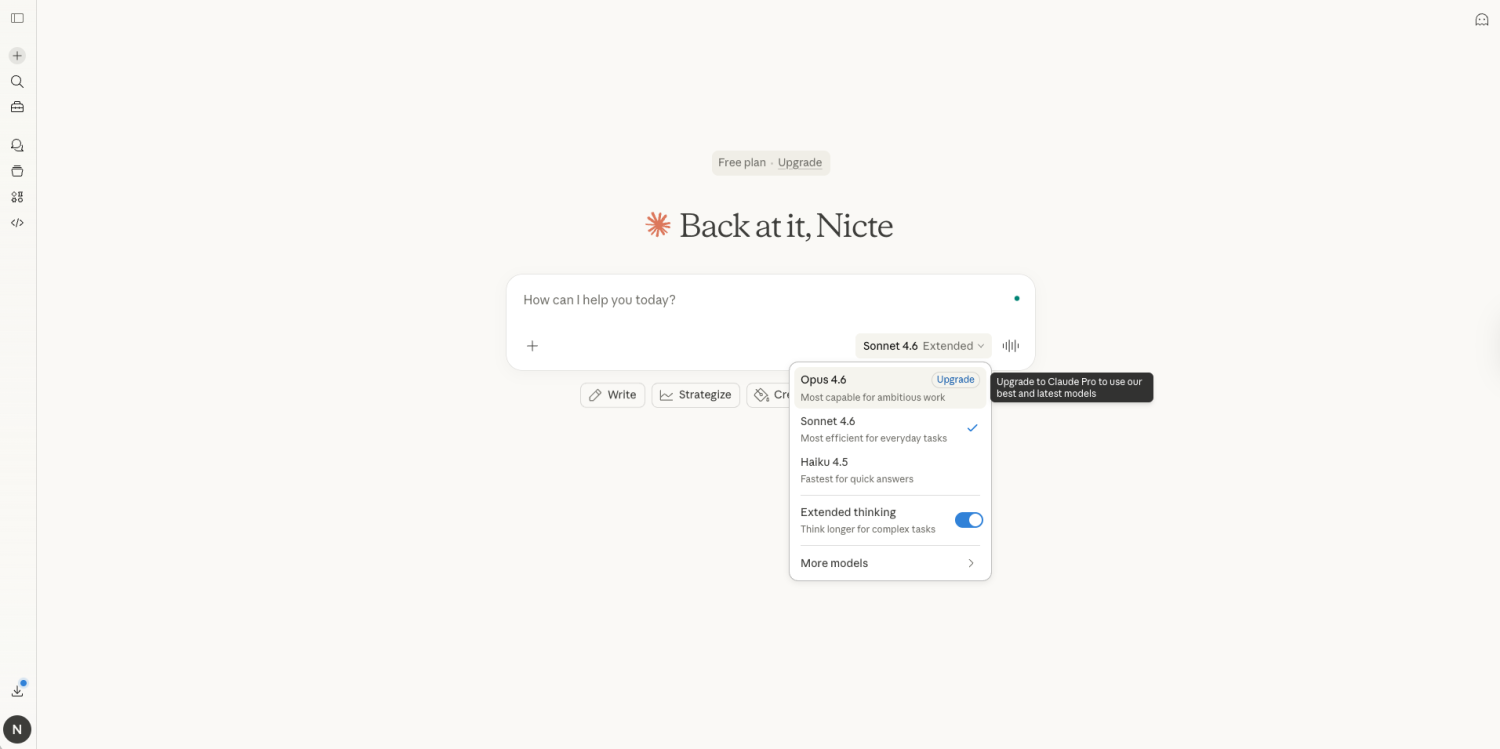
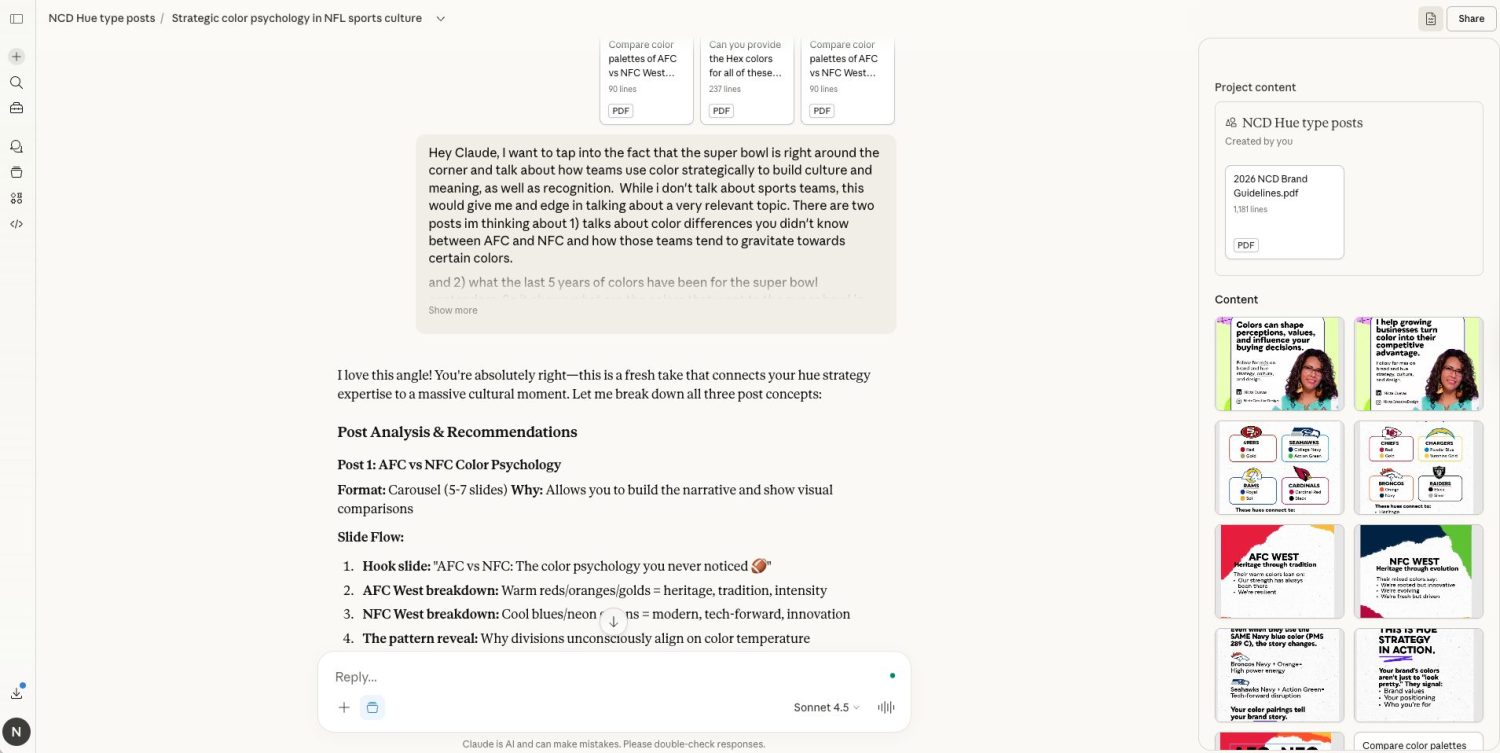
After confirming and reviewing our Perplexity data, we downloaded the findings and used Claude to brainstorm multiple ways to translate the insights into a campaign. Claude’s conversational strategy approach helped us weigh the pros and cons of different content ideas and refine our thinking. In one session, we used Claude to explore alternative color storylines for the campaign—prompting it to suggest how each palette might resonate with different audience segments. Claud is best for synthesizing complex data points and transforming them into digestible communication angles. Claude also helped us compare messaging strategies for social channels and explore how we could visually represent the data.
Building the Campaign Structure
Once we outlined the campaign structure—including channels and marketing outputs—Claude helped us refine the copy for our social media posts, ensuring clarity and alignment with our goals.
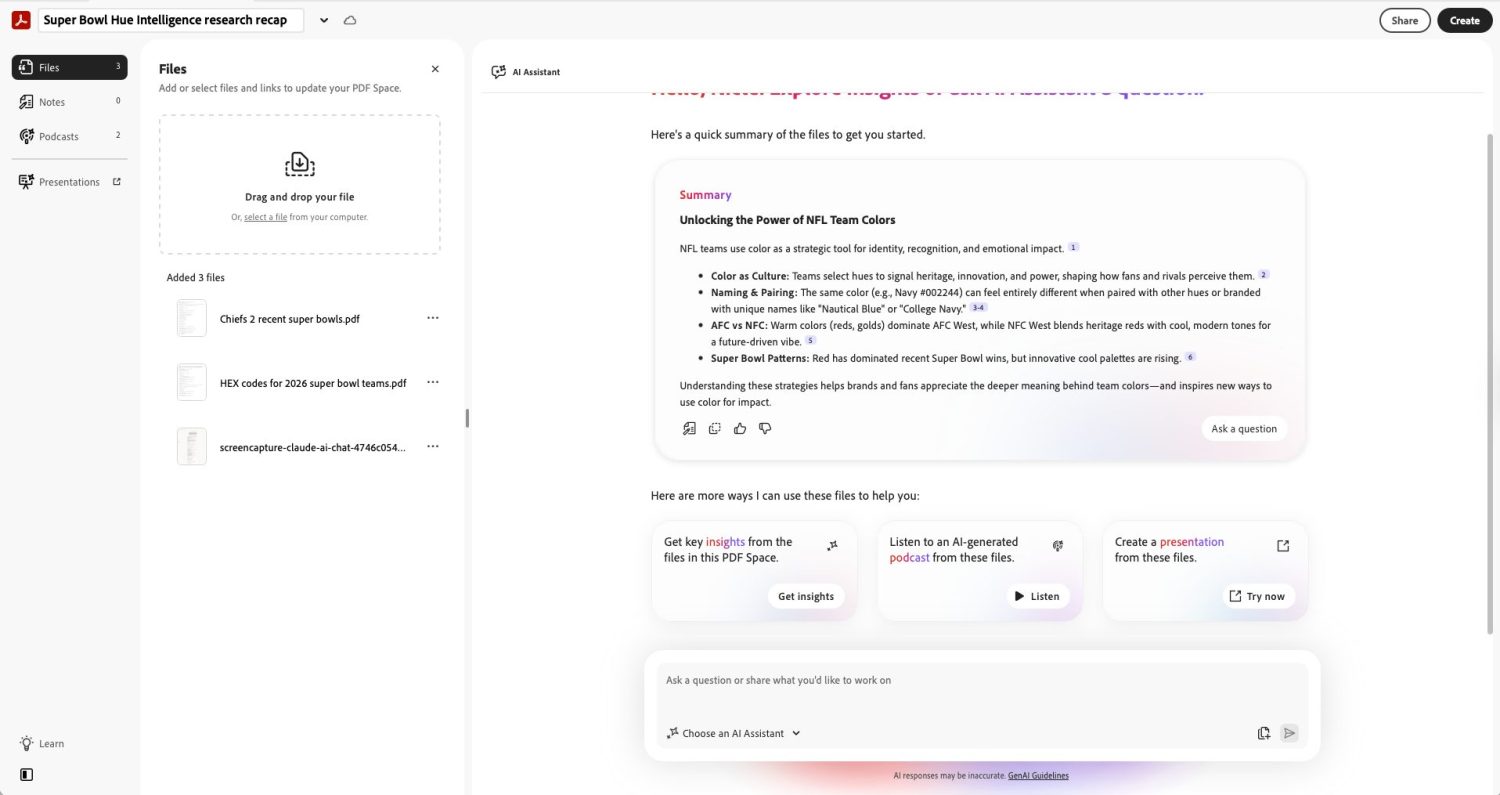
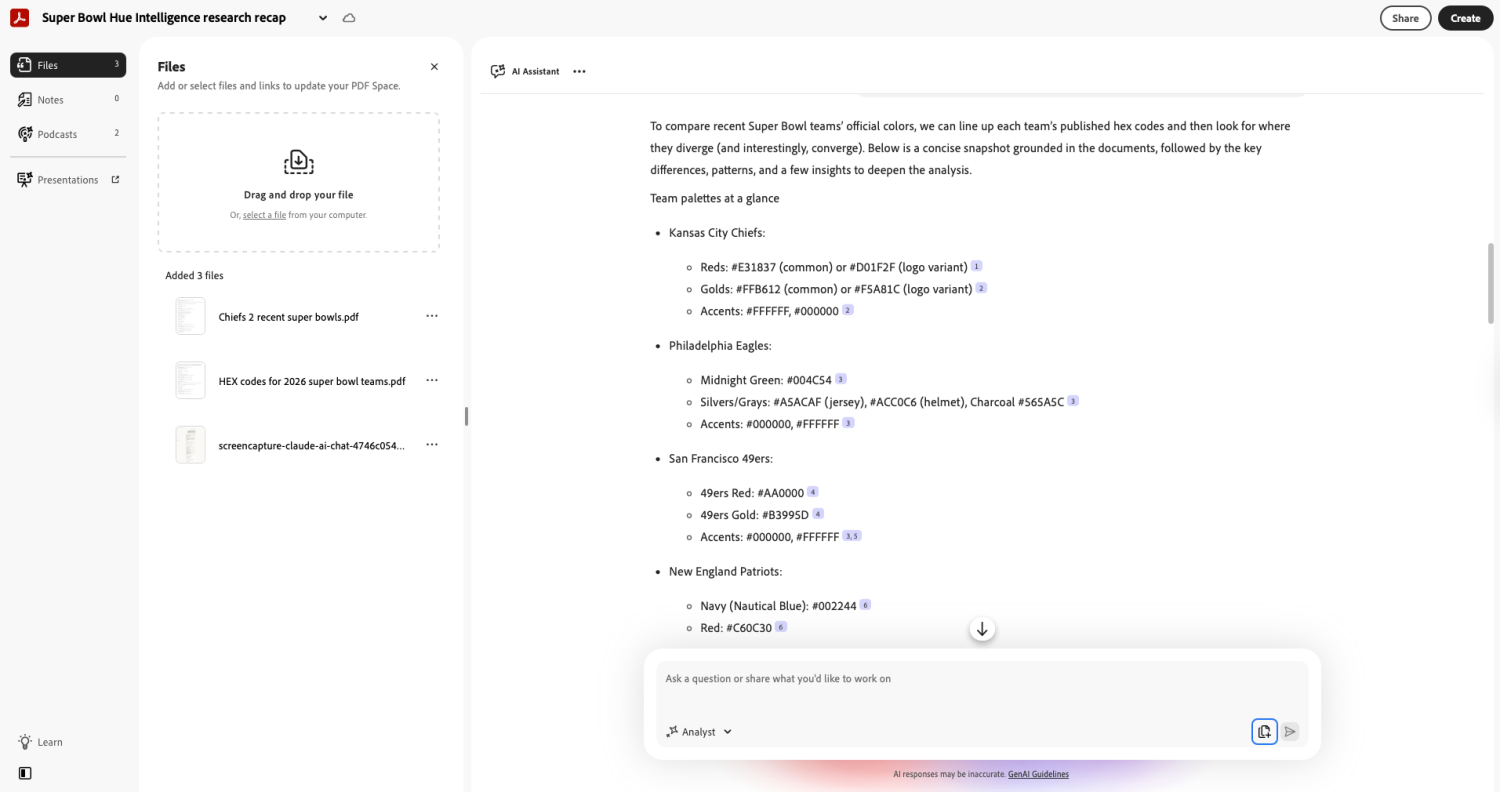
One limitation worth noting: Claude can be verbose in long sessions, making it hard to track key decisions. When we asked Claude to recap what we discussed, it would return long answers and sometimes miss key insights. When this happened, we leaned on the power of Adobe Acrobat Studio to synthesize key aspects of our conversation using PDF Spaces.
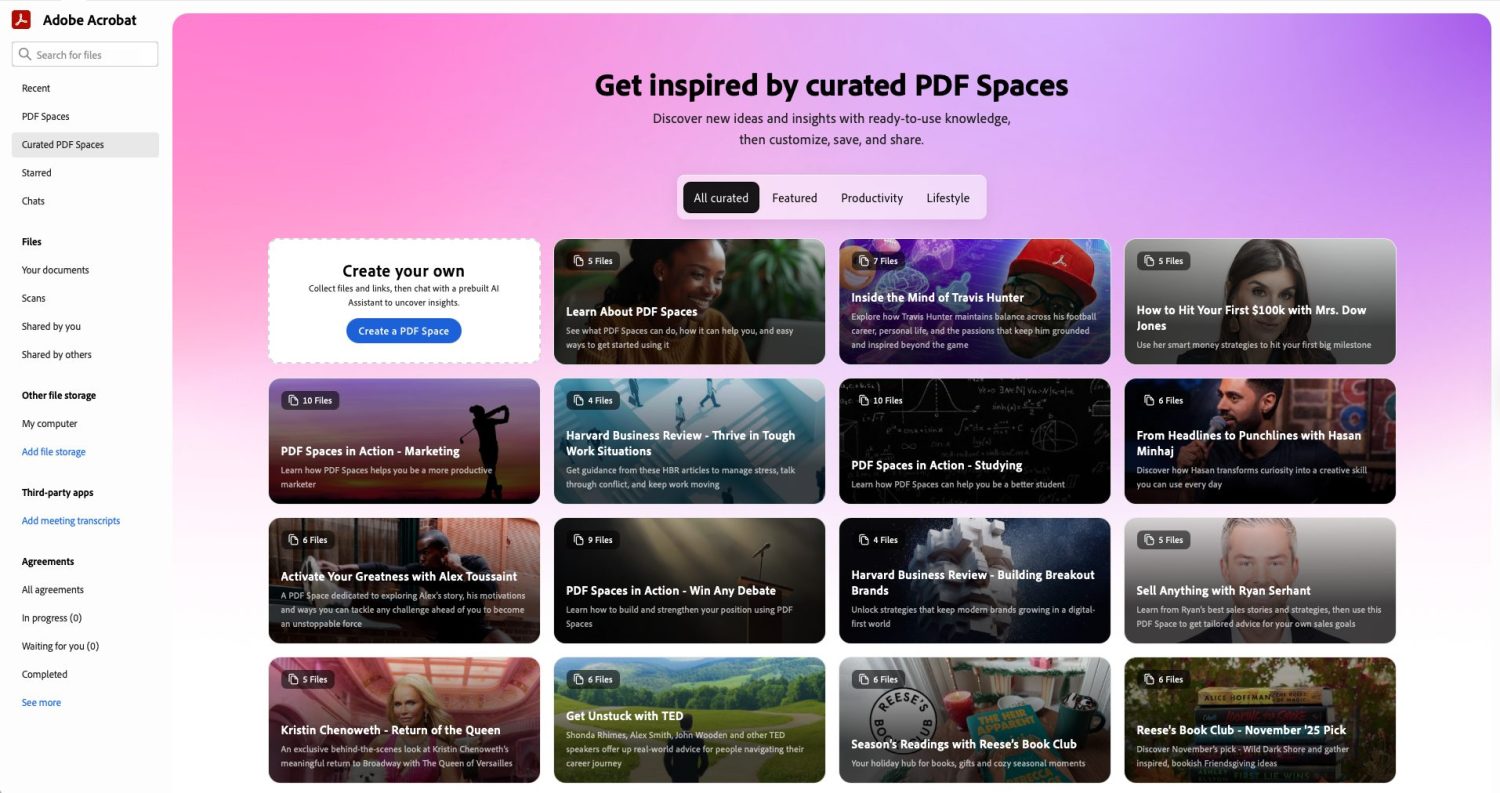
We simply upload a PDF of the conversation and our own notes, then use Acrobat’s AI to summarize specific topics from the chat—providing clear, concise facts instead of lengthy paragraphs. Any key insights we want to revisit later can be saved as notes for quick access. One of Acrobat Studio’s biggest advantages is its ability to summarize statistics or data from our research while referencing the exact page in the document—not random internet sources. We selected the Analyst agent as our AI Assistant for the most precise results.
How to Keep Your AI Ideation Process Efficient
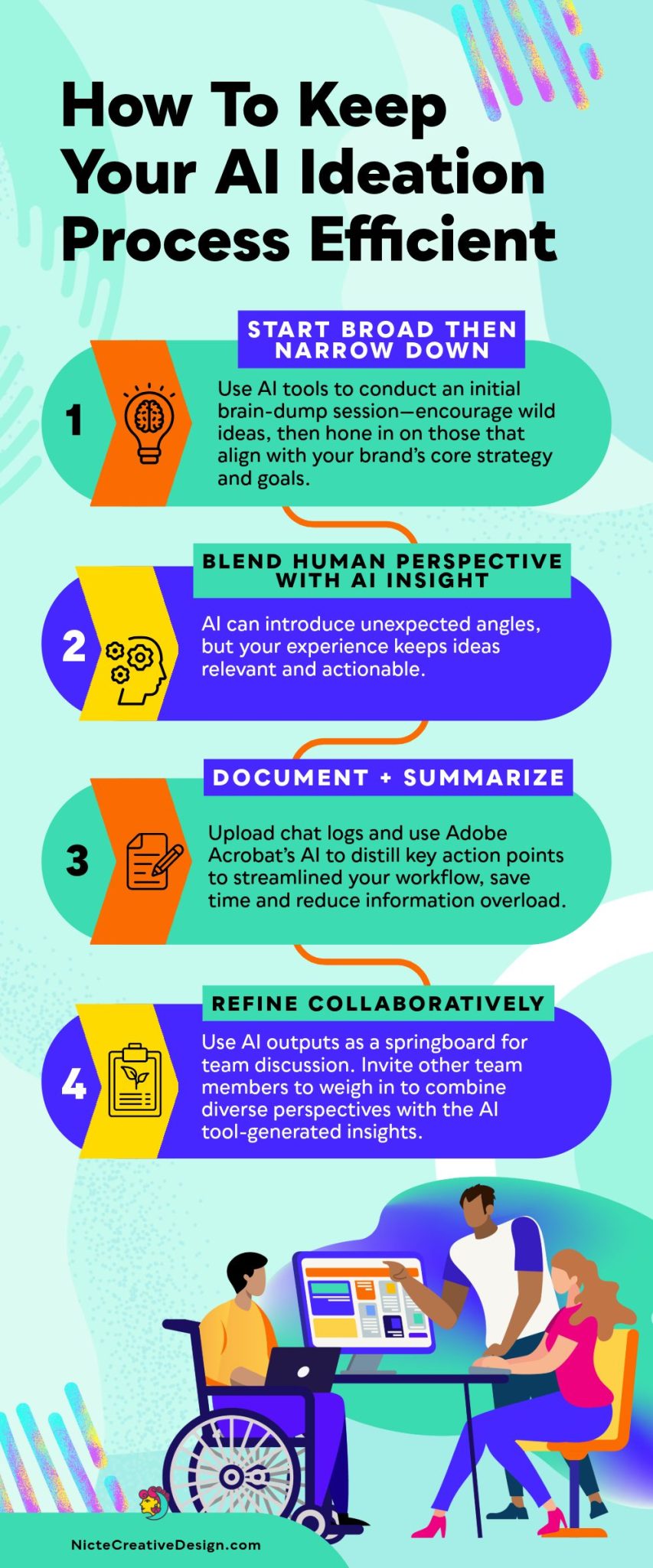
These four principles kept our Claude ideation sessions productive rather than overwhelming:
Step | Principle | What to Do |
|---|---|---|
1 | Start Broad, Then Narrow | Use AI for an initial brain-dump session—encourage wild ideas, then hone in on those that align with your brand’s core strategy and goals. |
2 | Blend Human Perspective with AI Insight | AI can introduce unexpected angles, but your experience keeps ideas relevant and actionable. Neither works as well alone. |
3 | Document and Summarize | Upload chat logs to Adobe Acrobat Studio and use its AI to distill key action points. This prevents important decisions from getting buried in long conversations. |
4 | Refine Collaboratively | Use AI outputs as a springboard for team discussion. Invite other team members to weigh in and combine diverse perspectives with AI-generated insights. |
Stage 3: Copy with Jasper (Paid, from $59/seat/month)
Jasper is the only paid tool in this core workflow. Jasper offers a 7‑day free trial—enough time to configure Brand Voice and test the workflow before committing. If you’re running a single campaign rather than ongoing content production, the trial may be sufficient for your needs. We have used Jasper since 2019, and it’s best for brand-aligned copy and helps enhance your SEO.
Building Jasper IQ for Customization
Before we wrote a single word for this campaign, we spent time configuring Jasper IQ to act as a true extension of our team. We didn’t want Jasper to sound like a robot—we needed it to sound like us: professional, knowledgeable, and empathetic to the power of design.
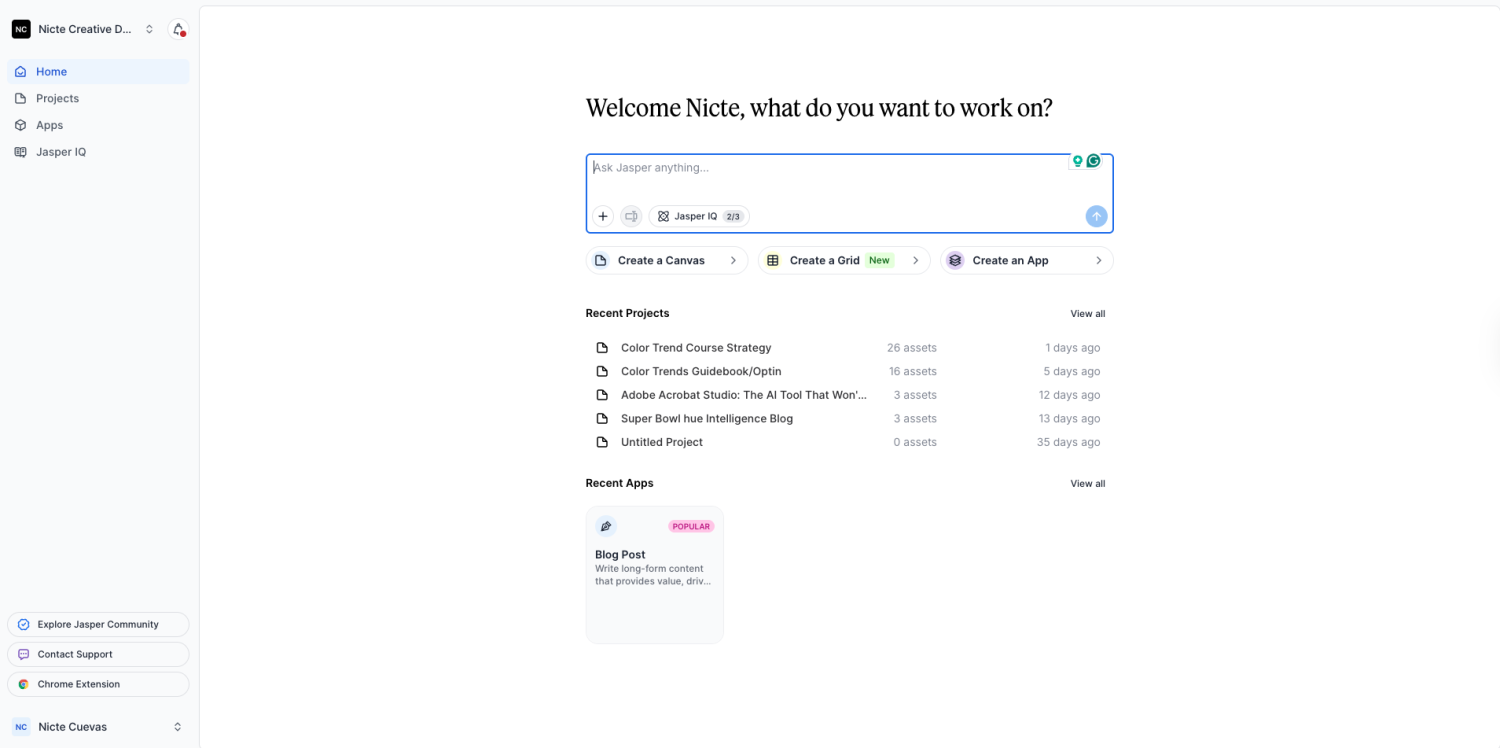
We started by teaching Jasper our specific Brand Voice. Instead of constantly prompting it to “sound professional,” we uploaded examples of our past writing, our mission statement, and key brand pillars. This allowed Jasper to analyze our tone and replicate that unique blend of confidence and accessibility we strive for.
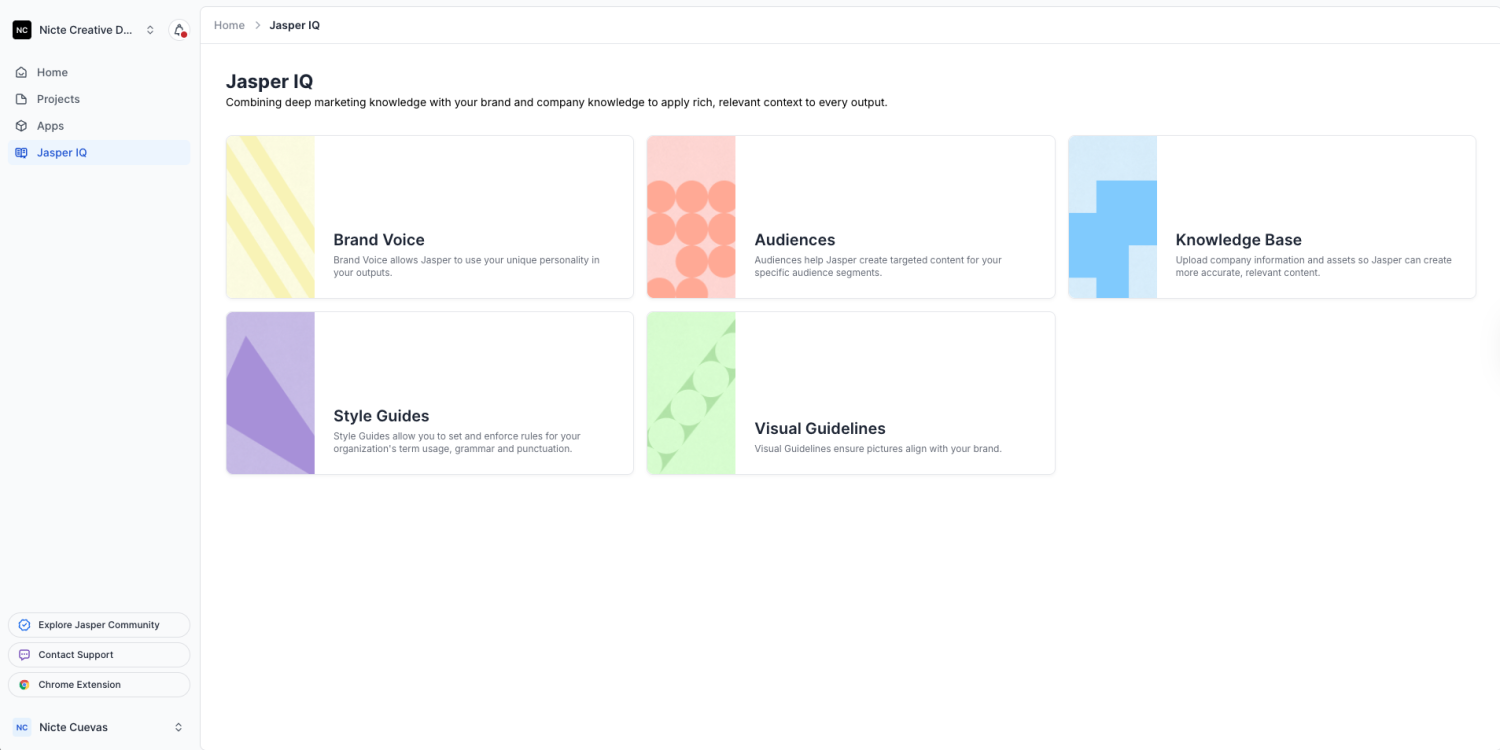
Next, we built Custom Audiences. We knew this campaign would appeal to two distinct groups: marketers looking for data-driven insights and designers interested in color theory. By defining these personas within Jasper IQ—outlining their pain points, interests, and preferred language—we could instantly toggle between audiences. This ensured that whether we were writing a LinkedIn post for a CMO or an Instagram caption for a creative director, the messaging hit home every time.
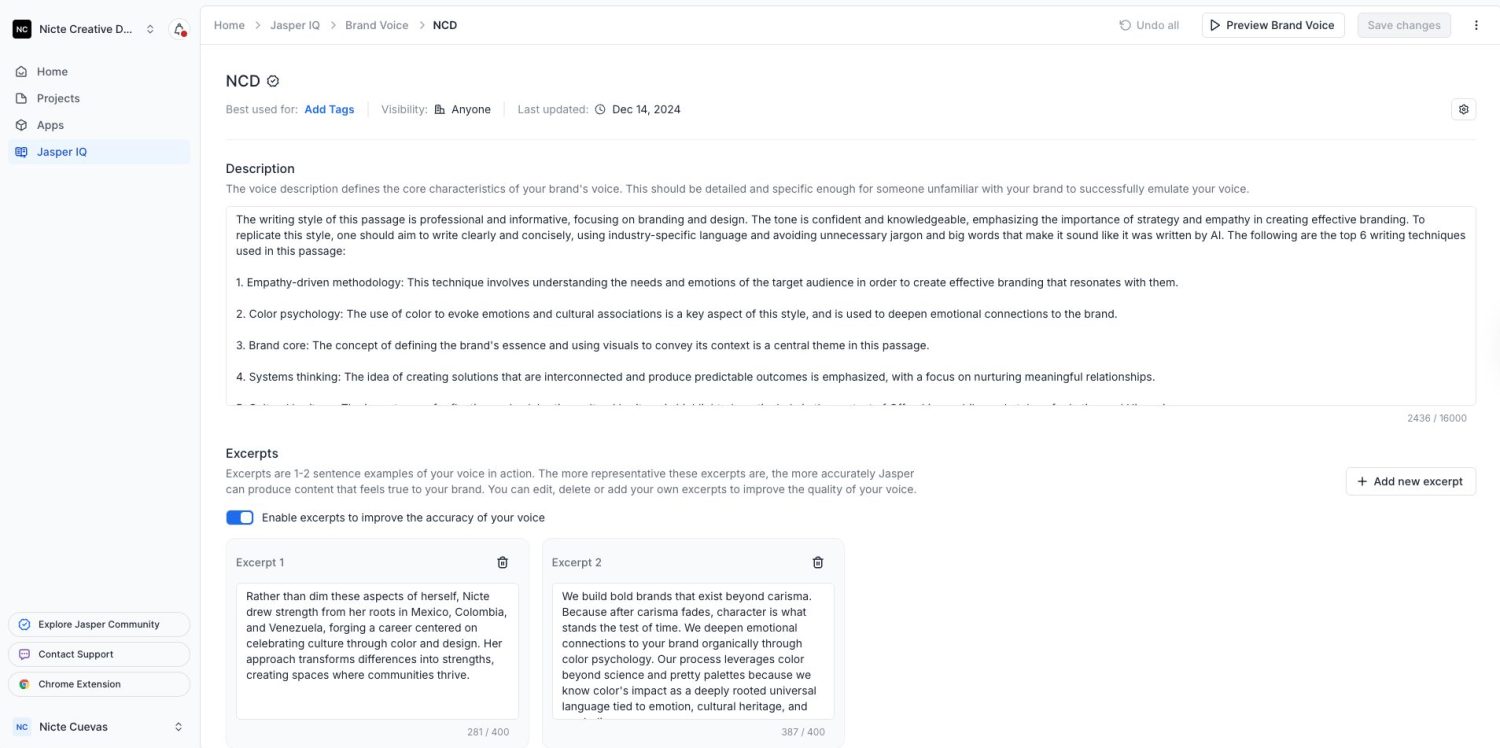
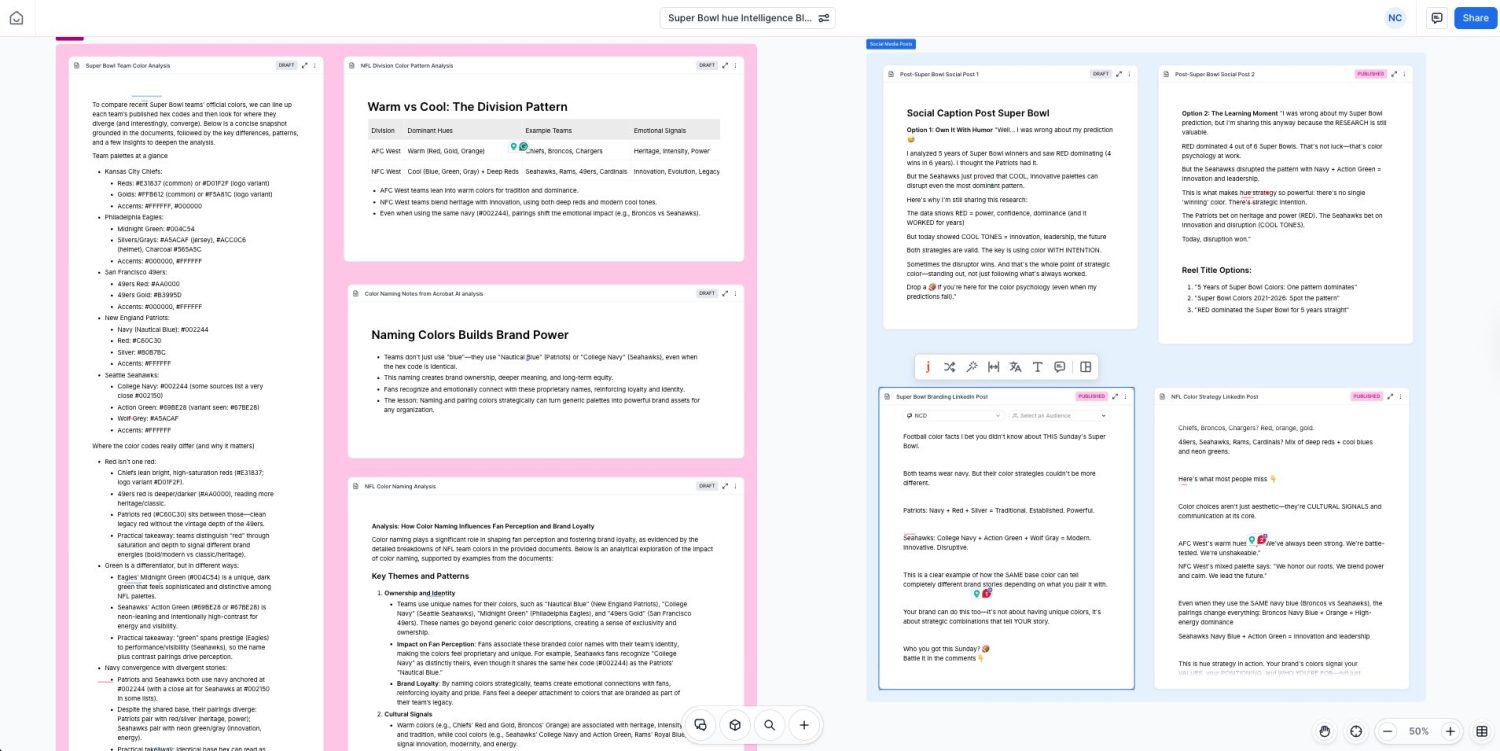
Streamlining Content Creation with Jasper Canvas
A big friction point in content creation is switching between tabs and jumping from a research document to a project brief, then over to a writing tool. To solve this, we used Jasper Canvas to centralize our workflow.
We treated the Canvas as our project command center. We uploaded all our “Super Bowl Hue Intelligence” research data—including the winning color palettes and year-over-year trends verified with Perplexity.
From this central hub, we crafted specific prompts to generate our social media posts. For example: “Using the ‘Entrepreneurs (aged 28–45)’ or ‘Purpose-Driven Teams (3–25 Members)’ audience profiles, write a LinkedIn post analyzing why red has been a dominant color in the last 9 Super Bowls, referencing the uploaded research.” Because the context was already in the Canvas, the output was sharp, accurate, and ready to use.
Refining Copy with Jasper’s Editing Capabilities
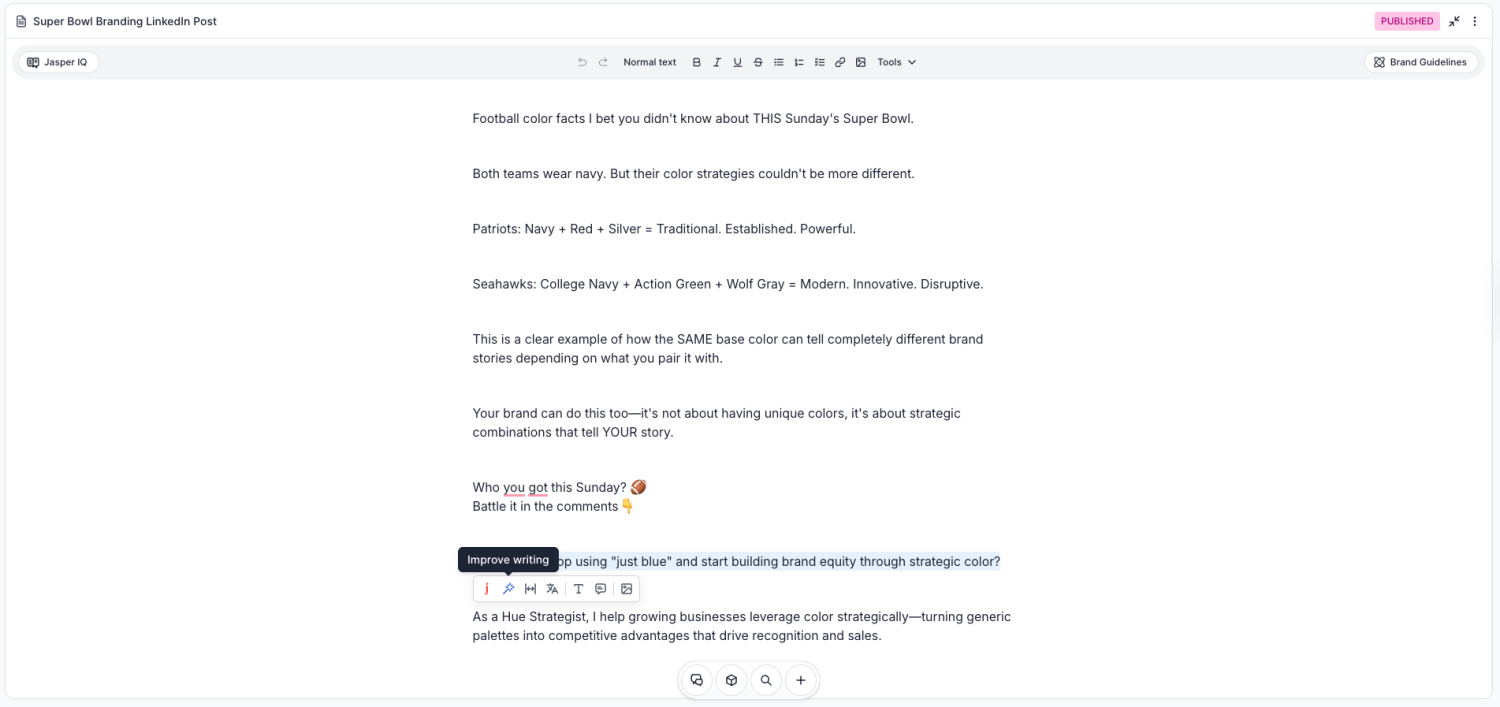
Even with a great setup, the first draft is rarely the final draft. We often found that AI tools tend to be overly wordy or use complex sentence structures that don’t sound natural. We built specific language parameters into Jasper IQ to prioritize clarity and conciseness.
If a paragraph felt too dense, we didn’t just delete it—we highlighted the text and asked Jasper to simplify or clarify the section. This allowed us to synthesize thoughts without losing the core message, acting as a real-time editor that polished grammar and flow while keeping language accessible.
Stage 4: Visual Production with Adobe Firefly (Free Tier Available)
Now came the action part—where the workflow shifts from planning to production, bringing the vision to life to showcase the winning teams from the past 9 Super Bowls. Our biggest challenge was straightforward but significant: we couldn’t use photos of NFL players due to copyright restrictions. We needed a way to visualize the data without infringing on intellectual property, while still making the content feel authentic to the sport.
We needed a tool we could trust that generated visuals and campaign assets with commercially safe outputs. This is where Adobe Firefly became our production studio. But we didn’t just jump in and start generating random images—we treated Firefly like a design system, setting up a structured environment that allowed us to scale our creative output efficiently.
Commercial Safety Note
Adobe Firefly’s own model generates commercially safe content—you can use it in client work and business materials without IP risk. Firefly’s partner models (including Veo 3.1 for video) do not carry this commercial guarantee. If you plan to use this content commercially, stick to the native Firefly model unless you’ve separately cleared the rights.
Setting Up a Prep Area on Firefly Boards
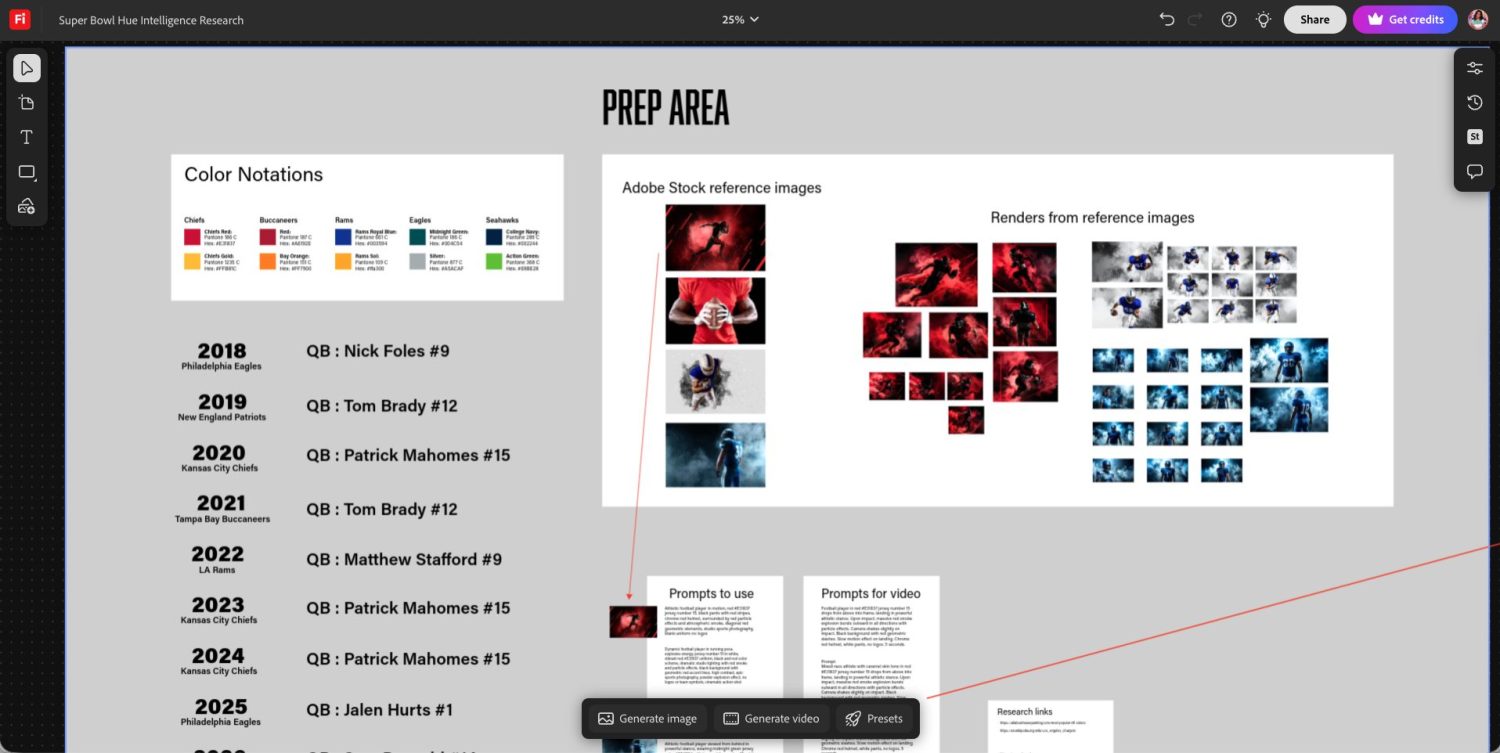
One of the biggest friction points in creative workflows involving multiple data sources is keeping information centralized—it kills momentum to jump between a browser for hex codes, a folder for stock images, and a document for prompts. To solve this, we used Firefly’s infinite canvas to create a dedicated Prep Area.
Think of the Prep Area as your digital mood board or a chef’s kitchen prep space. Before generating a single pixel, we consolidated every piece of data we needed directly onto the board:
- Specific hex codes for every team (detailed below)
- Research links for quick access during production
- Style reference images from Adobe Stock capturing the lighting, camera angles, and energy we wanted—such as a player in a ‘carrying pose’ or ‘charging forward’
- Pre-written prompt templates ready to customize per team
The Team-by-Team Color Breakdown
For each of the nine Super Bowl winners we visualized, we listed specific color notations directly on the Prep Area canvas. Here’s the complete breakdown used in the campaign:
Year | Team | Primary Color (HEX) | Secondary Color (HEX) | Prompt Detail |
|---|---|---|---|---|
2025 | Philadelphia Eagles | Midnight Green #004C54 | Silver #A5ACAF | Athletic football player viewed from behind in powerful stance, wearing midnight green jersey color #004C54 with large white number 1, white football pants with vertical midnight green #004C54 stripes on sides, midnight green helmet with silver facemask, surrounded by atmospheric smoke and mist, dramatic studio lighting with teal-green glow, dark moody background, cinematic sports photography, no logos or team symbols |
2024 | Kansas City Chiefs | Chiefs Red #E31837 | Chiefs Gold #FFB81C | Athletic football player in dynamic running motion, wearing red jersey color #E31837 with large white number 15 outlined in gold #ffb81c, white football pants with red #E31837 vertical stripes on sides, glossy chrome red football helmet with dark visor, surrounded by swirling red particle effects and atmospheric smoke, diagonal red geometric slash elements in background, dramatic studio lighting with red glow, black background, high contrast cinematic sports photography, no logos or team symbols on uniform |
2023 | Kansas City Chiefs | Chiefs Red #E31837 | Chiefs Gold #FFB81C | Athletic football player in dynamic running motion, wearing red jersey color #E31837 with large white number 15 outlined in gold #ffb81c, white football pants with red #E31837 vertical stripes on sides, glossy chrome red football helmet with dark visor, surrounded by swirling red particle effects and atmospheric smoke, diagonal red geometric slash elements in background, dramatic studio lighting with red glow, black background, high contrast cinematic sports photography, no logos or team symbols on uniform |
2022 | Los Angeles Rams | Royal Blue #003594 | Rams Sol #FFA300 | Athletic football player standing confidently holding football in one hand, wearing royal blue jersey #003594 with large white number 9 outlined in gold #FFD100 , bright yellow gold #FFD100 football pants with royal blue #003594 and white vertical stripes on sides, royal blue helmet with gold horns design (no logo), blue gloves, surrounded by dramatic smoke and atmospheric mist effects, dark moody background with blue-tinted lighting, cinematic sports photography, studio lighting, no team logos or symbols |
2021 | Tampa Bay Buccaneers | Buccaneer Red #D50A0A | Bay Orange #77f900 | Dynamic football player in running pose, explosive energy, jersey number 12 in white, vibrant red #A6192E uniform, black and red color scheme, dramatic studio lighting with red smoke and particle effects, black background with geometric red accent lines, high contrast, epic sports photography, powder explosion effect, no logos or team symbols, cinematic action shot, white helmet design with no lines |
2020 | Kansas City Chiefs | Chiefs Red #E31837 | Chiefs Gold #FFB81C | Athletic football player in dynamic running motion, wearing red jersey color #E31837 with large white number 15 outlined in gold #ffb81c, white football pants with red #E31837 vertical stripes on sides, glossy chrome red football helmet with dark visor, surrounded by swirling red particle effects and atmospheric smoke, diagonal red geometric slash elements in background, dramatic studio lighting with red glow, black background, high contrast cinematic sports photography, no logos or team symbols on uniform |
2019 | New England Patriots | Nautical Blue #002244 | Red #C60C30 | A football player captured in an environment filled with smoky mist, with vibrant blue and white dominating their uniform, dramatic illuminated contrasts, and a commanding, introspective mood, wearing blue jersey color #002244 with large white number 12 |
2018 | Philadelphia Eagles | Midnight Green #004C54 | Silver #A5ACAF | Athletic football player viewed from behind in powerful stance, wearing midnight green jersey color #004C54 with large white number 9, white football pants with vertical midnight green #004C54 stripes on sides, midnight green helmet with silver facemask, surrounded by atmospheric smoke and mist, dramatic studio lighting with teal-green glow, dark moody background, cinematic sports photography, no logos or team symbols |
2017 | New England Patriots | Nautical Blue #002244 | Red #C60C30 | A football player captured in an environment filled with smoky mist, with vibrant blue and white dominating their uniform, dramatic illuminated contrasts, and a commanding, introspective mood, wearing blue jersey color #002244 with large white number 9 |
The Iterative Process: From Data to Design
With our Prep Area established, we moved into actual production. Our goal was to create a consistent visual style across nine years of Super Bowl winners—making them look like they belonged to the same campaign, as if shot by the same photographer in the same studio session.
We started by pulling our base prompt—refined during our Claude strategy sessions—and pasting it into the generation tool. We then customized the specific details for each year. For instance, when generating the visual for the 2024 Kansas City Chiefs, we didn’t just ask for a ‘football player’—we modified the prompt to request a ‘red #E31837 jersey number 15’ to represent the quarterback, included details like ‘chrome red helmet’ and ‘surrounded by red particle effects,’ and specified the exact lighting style we’d established in the Prep Area.
Once we were happy with the result for 2024, we didn’t start from scratch for the next year. We duplicated our process, swapping the hex codes and jersey numbers while keeping the core prompt structure—lighting, camera angle, atmospheric effects—consistent. This systematic approach allowed us to produce high-quality, on-brand assets in a fraction of the time manual design would require.
Navigating Diversity and AI Bias
While AI accelerated our workflow, it wasn’t without challenges. One area where we had to be particularly intentional was diversity and representation.
During our iteration process, we noticed that Firefly and its partner models adhered very strictly to the skin tones present in the style reference images we uploaded. No matter how much we tweaked the text prompt—even when we input specific HEX color values pulled from Pantone’s SkinTone Guide—the generated result often defaulted to the skin tone of the stock image used as a reference.
This was a fascinating insight into how Adobe Firefly functions. It aims to minimize bias, but because AI struggles to gauge nuance in skin tone from text alone, it relies heavily on the visual input you provide. This meant that if we wanted the generated image of a quarterback to accurately reflect the real player’s ethnicity, we couldn’t rely on words alone—we had to find Adobe Stock images with a close resemblance to the specific player we were referencing.
We spent more time in this phase than any other. It wasn’t just about getting the colors right—it was about making sure the player’s representation was respectful and accurate.
The lesson: while we can’t control how an AI model is trained, we can control the inputs we feed it. Using style references with close resemblance helped us achieve more accurate results, but it also served as a reminder that it is always our responsibility to check our own biases and ensure the final output reflects the diversity of the real world.
Using Generation History
When iterating at speed, it’s easy to lose track of that one perfect image generated 20 minutes ago. We generated a large number of variations to arrive at the nine final images, and at one point, we had tweaked prompts so much that remembering what we used with the volume of assets we had became a real challenge.
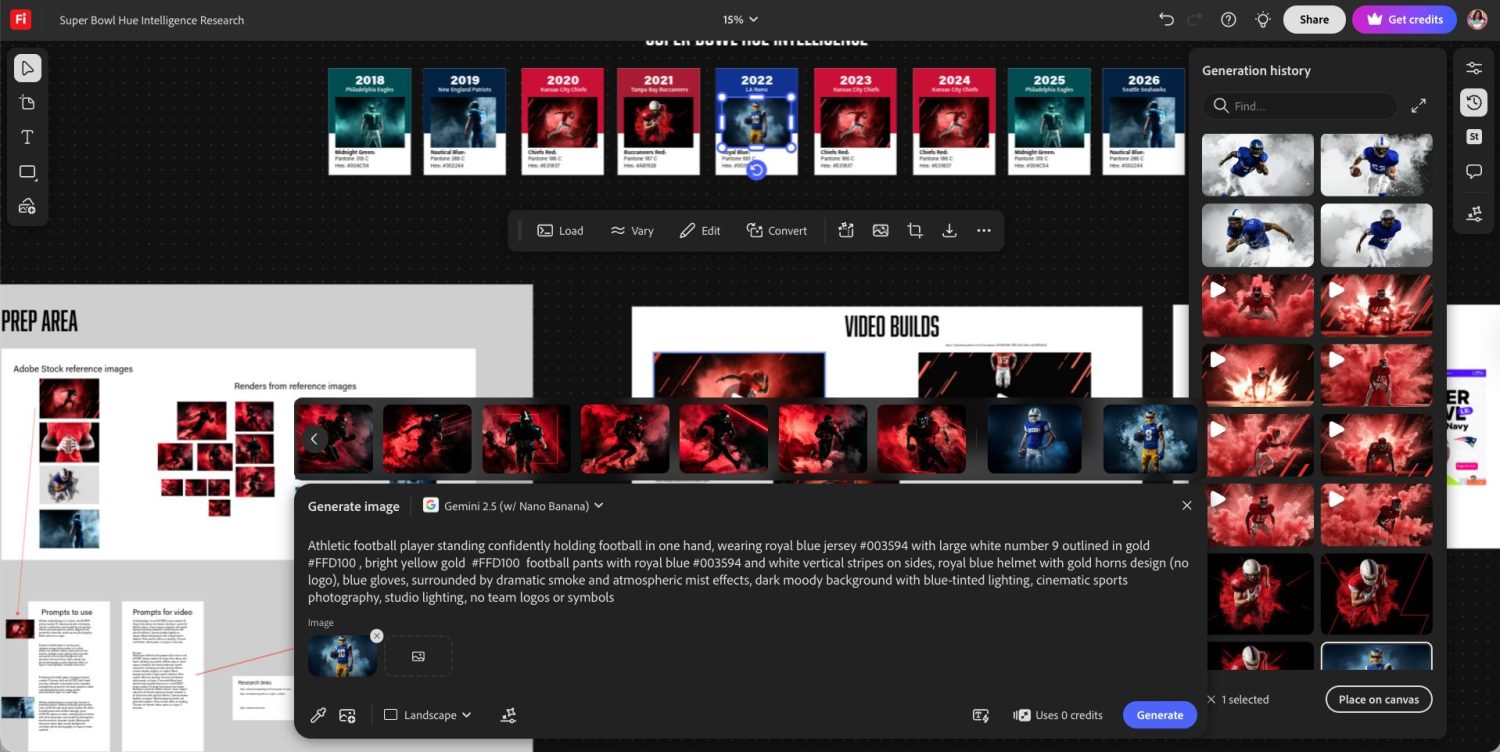
This is where the Generation History panel became a lifesaver—a feature that often goes underutilized. We frequently went back into the history to reference specific images or videos we had made but hadn’t pinned to the board. Even more helpful was the ability to click ‘Load prompt’ on any previous image. By reloading the prompt from history, we could see exactly what combination of words and settings produced a specific result, then copy that successful prompt back to our Prep Area—effectively building a library of winning prompts as we worked.
Creating the Visual Timeline
The ultimate goal of this visual design phase was to reveal a pattern. We wanted to show—not just tell—the story of color in the Super Bowls.
With Firefly, we created a series of images that felt cohesive—like they were all shot by the same photographer in the same studio session. This is something that is nearly impossible to achieve with standard stock photography, where lighting and styles vary wildly. Unless you have the budget to hire professional athletes and rent a studio, AI is the only way to build this level of visual consistency.
As we finalized each image, we arranged them into a visual timeline—creating a card for each year using the team’s primary hex color as the background and overlaying the Firefly-generated image with specific color notation text.
Once we stepped back and looked at the timeline from 2017 to 2025, the data jumped off the screen. The oscillation between red hues and blue/green hues over the nine years was unmistakable—and because the visuals were so consistent, the color story became the hero of the entire campaign.
Adding Motion with Veo 3.1
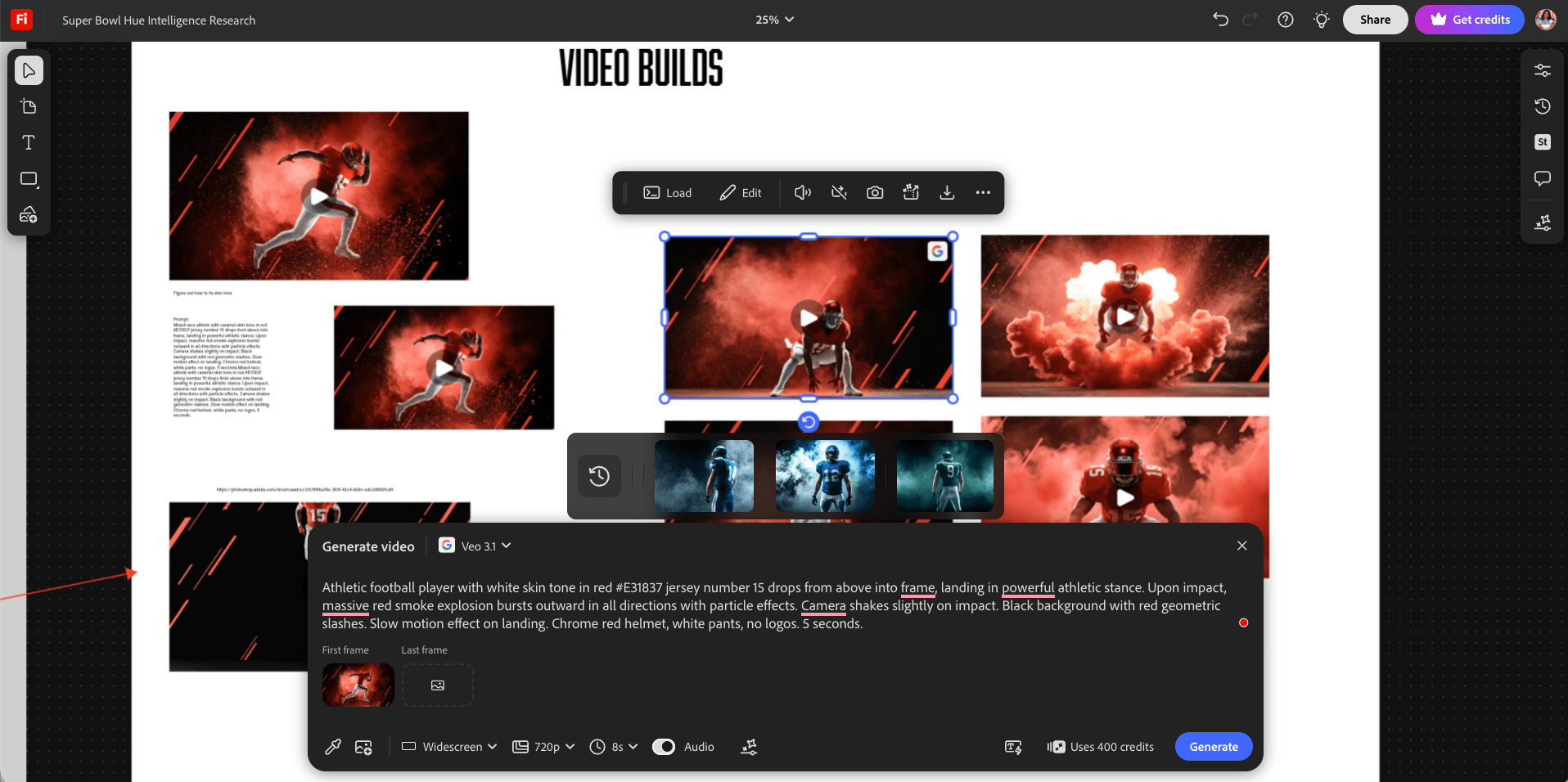
We could have stopped at static images, but tapping into the full potential of AI meant taking our visuals a step further—adding movement and energy that truly brought the campaign to life. Without ever leaving Firefly Boards, we selected our favorite images and transformed them into animated action pieces.
Drawing from the video prompts developed during our Claude ideation sessions, we turned to the Veo 3.1 partner model inside Firefly to generate dynamic videos. These prompts allowed us to specify everything from sound cues to camera angles, movement, and lighting. While Firefly gives you the option to use both a start frame and an end frame to guide animation, we achieved powerful results simply by referencing the still images we had already created.
Reminder on commercial use: Veo 3.1 is a partner model and does not carry Firefly’s commercial safety guarantee. If you plan to use these videos in commercial work, verify the terms of use for any partner model before publishing.
Years ago, as a small business, creating these kinds of high-impact visuals would have been completely out of reach. Now, this entire production process—from static image generation to animated video—was done within a single tool, without a photographer, studio, or video production team. Adobe Firefly enabled us to create and produce campaign assets that would have been out of reach years ago.
Stage 5: Content Distribution with Adobe Express (Free Tier Available)
With research, ideation, assets, and copy complete, distribution is where everything comes together. Instead of downloading and re-uploading everything, we simply selected our assets in Firefly and added them to Adobe Express with a single click—eliminating the download-and-reupload cycle that slows most distribution workflows.
Adobe Express is best for assembling your social content, adding easy animations, creating branded templates, team collaboration, and distributing content across platforms. We have used Adobe Express since it launched and have used it for our company as well as for multiple clients.
Once inside Adobe Express, we combined our player images and animations to build a video recap and carousel posts. Even within Express, we were able to leverage Firefly’s capabilities to fill content gaps—we used the Generate Image feature to create an image of a hand holding a football for one of our carousel graphics.
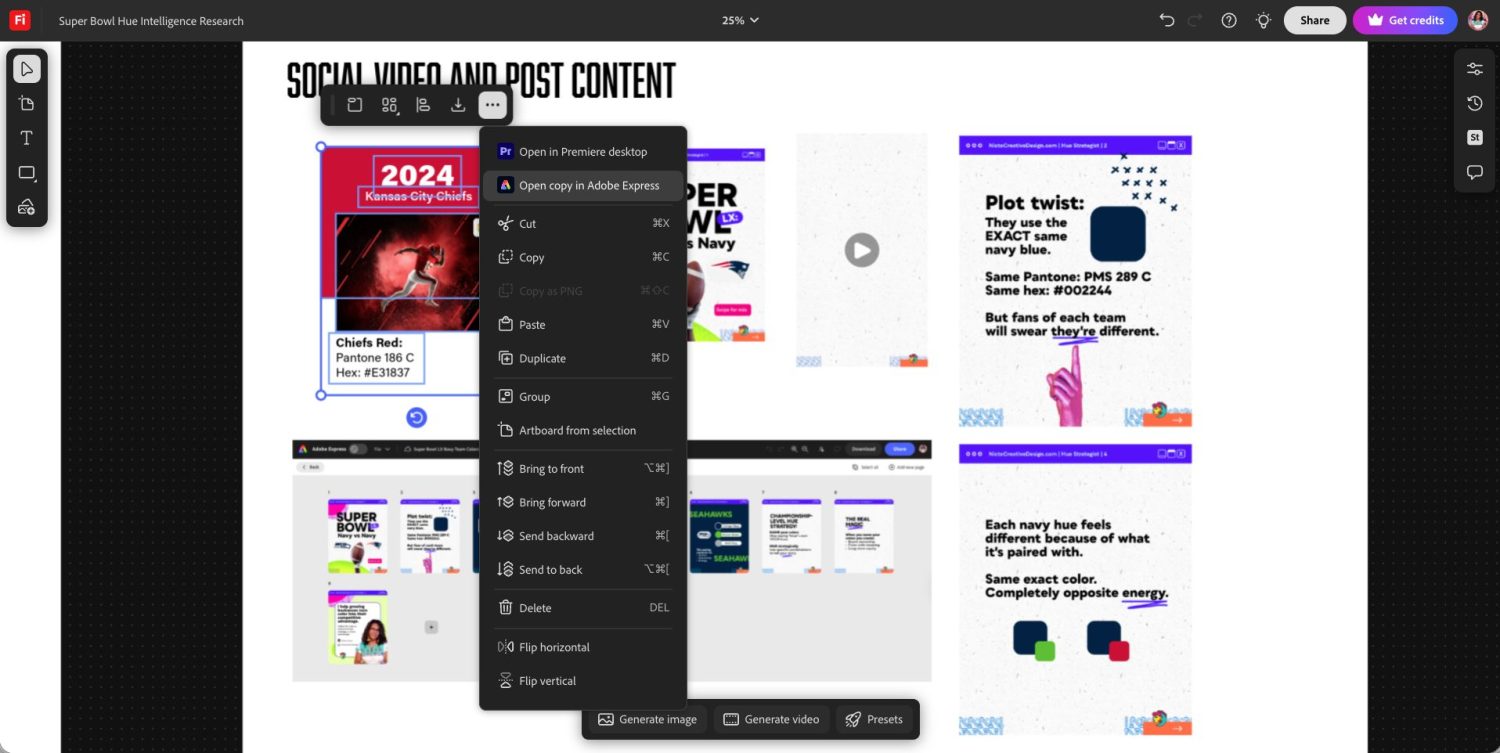
Our content also included a video recap. Once uploaded to Adobe Express, Firefly’s capabilities helped by recommending songs based on our video—saving us time searching for the right rhythm to match our content. This was a small but genuinely useful feature that would otherwise require a separate music licensing tool.
Keeping this case study as a future reference from start to finish was a priority, so once we finished our designs, we added the final graphics from Adobe Express back to our Firefly boards—including direct links to the editable Express files so we could use them later. This created a complete, reusable campaign archive in one place.
Frequently Asked Questions
These are the questions that come up most often when creatives start building multi-tool AI workflows.
Do I need to pay for all five tools to use this workflow?
No. Perplexity and Claude both have free tiers sufficient to run the research and strategy stages. Adobe Firefly and Adobe Express both have free tiers for testing the visual design and distribution stages. Jasper is the only tool with no ongoing free tier—it offers a 7‑day free trial. A practical starting approach: run your first full campaign on free tiers and trials, then upgrade whichever tool you hit volume limits on first.
Why use five separate tools instead of one all-in-one platform?
Because no single platform does all five stages well. Generalist platforms make trade-offs at every stage—acceptable research, acceptable copy, acceptable image generation. Specialized tools do one thing exceptionally well. The coordination overhead of switching between five tools is real, but the output quality difference is significant for campaigns where brand consistency and accuracy matter.
Can I substitute different tools at each stage?
Yes, with caveats. Perplexity can be replaced with any research tool that cites sources—the key requirement is verifiable citations. Claude can be replaced with any conversational AI that supports long-context strategy sessions. Jasper is harder to replace if brand-voice training matters—most free-tier writing tools don’t offer trainable voice at the same depth. Firefly is specifically recommended for commercial use because of its licensed training data; alternatives like Midjourney or DALL·E 3 offer creative flexibility but don’t carry the same commercial safety guarantee and have steeper learning curves. Adobe Express can be replaced with any social publishing tool that supports your required asset formats.
Is Adobe Firefly content actually safe to use commercially?
Firefly’s own model—the default—generates content trained on licensed data and is designated commercially safe by Adobe. Partner models available inside Firefly (including third-party video models like Veo 3.1) do not carry this guarantee. If you’re creating content for client work or business use, use the native Firefly model and verify any partner model usage separately.
How long does this five-stage workflow take from start to finish?
For the Super Bowl Hue Intelligence campaign, approximately 3–4 days of active work. Research and strategy (Stages 1–2) took half a day. Copy development (Stage 3) took one day including Jasper setup. Visual design (Stage 4) took the longest—approximately two days—primarily due to the diversity and representation work described above. Distribution (Stage 5) took a few hours. First-time setup of Jasper IQ and the Firefly Prep Area should be factored in separately—that investment compounds across every future campaign.
What if I don’t have an Adobe Creative Cloud subscription?
You don’t need one to start. Adobe Express has a free tier with no CC subscription required, and Firefly’s free generative credits are also available without CC. The Adobe CC subscription adds volume and unlocks Firefly Pro features—but the free tiers are a legitimate starting point for testing the full workflow.
What does this workflow not do well?
Honest limitations worth knowing: Claude can become difficult to track in long sessions—plan to export and summarize using Acrobat Studio regularly. Firefly’s image generation requires structured prompt work and multiple iterations; it is not a one-shot tool. Jasper’s output quality depends heavily on how well Brand Voice is configured upfront—generic setup produces generic output. And the workflow as documented produces campaign assets, not campaign strategy—human judgment is still required to decide what story to tell and why it matters to your audience.
Key Takeaways
- AI workflows are most effective when outputs flow into a centralized production layer. Without that layer, ideas remain fragmented, and assets remain disconnected. With it, workflows become scalable, and campaigns become executable.
- Two of the five tools in this workflow were used entirely on free tiers. Cost is not the primary barrier to running a quality multi-tool campaign.
- Setup time is the real investment. Configuring Brand Voice in Jasper, building a Prep Area in Firefly, and structuring Claude sessions well all take time upfront—but that investment compounds into speed and consistency across every subsequent campaign.
- AI handles execution; humans handle direction. Strategy, audience understanding, brand judgment, and representation decisions all require human input that cannot be delegated to any tool in this stack.
- Document your winning prompts. Firefly’s Generation History and Jasper’s Canvas both allow you to recover successful configurations. Building a prompt library as you work reduces iteration time on future campaigns significantly.
- Whether you’re new to structured AI workflows or launching your next campaign, experiment with different tools to find what best suits your needs—but always stay grounded in strategy. AI is most effective as a creative partner that augments your skills, not a replacement for human insight and direction.
Final Thought
Multi-tool workflows are powerful—but only when they’re structured correctly. The tools that generate ideas are important—but the tools that turn those ideas into final assets are what make the workflow effective and your results memorable. And that’s where Adobe consistently plays a central role.
